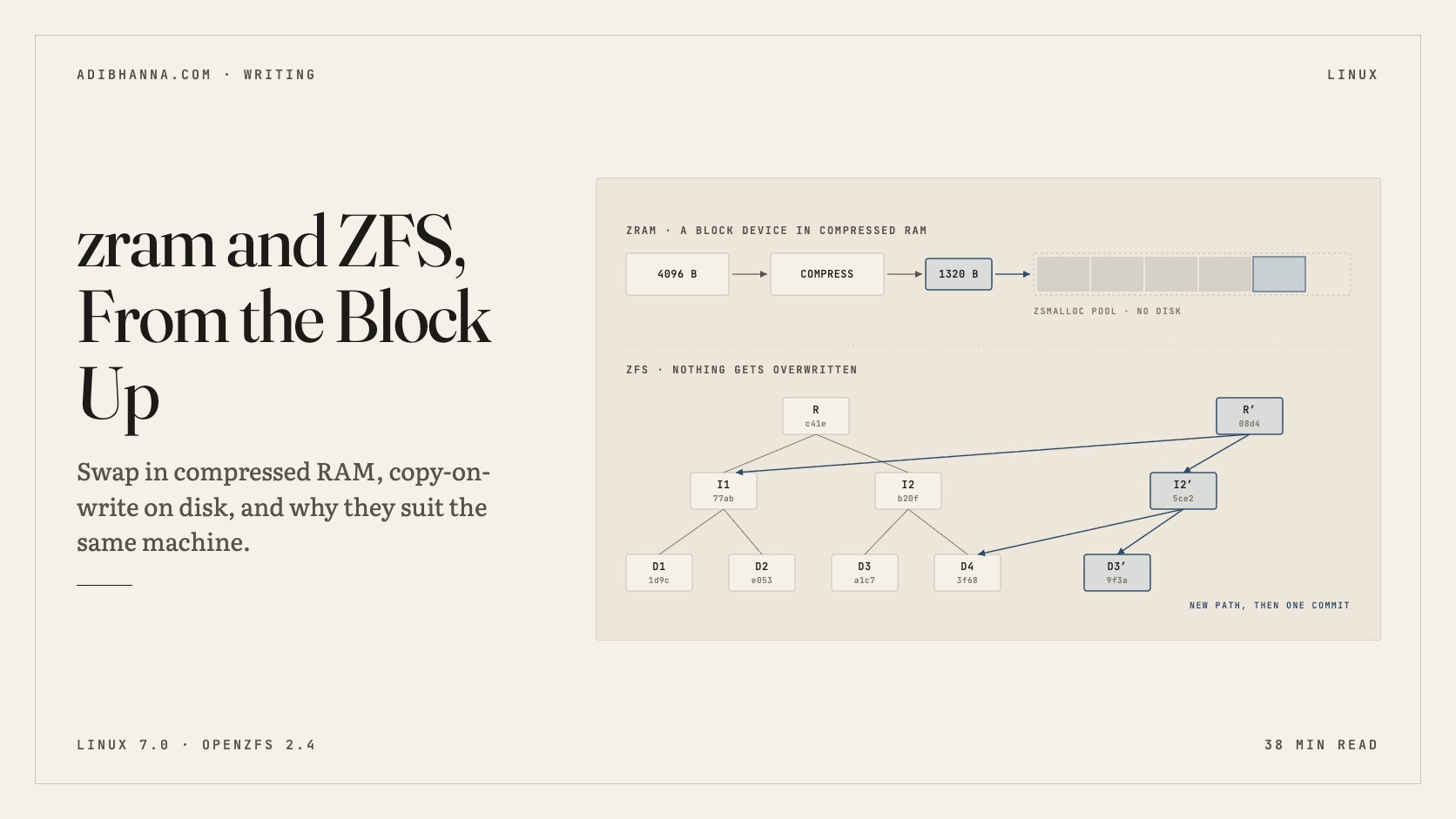
I took a ZFS mirror, overwrote 300 MB of one of its disks with random data, and read a file back. The SHA-256 hadn't changed. Then, on the same machine, I pushed 900 MB of program memory out to swap. No disk was involved, and it used 197 MB of RAM.
The first trick is ZFS. The second is zram. They come from different worlds: zram is a small Linux driver from the phone and netbook era, and ZFS is a huge filesystem Sun built for data centers. But both work one layer below where you normally look. Both take the idea of "a block on a device" and quietly change what it means. And they fit together well on one machine, for a reason I didn't expect when I started reading: ZFS can't safely swap to itself, and zram doesn't need a disk at all.
I wanted to understand how each one works, past "compressed swap" and "the filesystem with snapshots". This post is the result. It's long and the diagrams move. Each one loops, you can hover to pause it, and the buttons underneath let you step through at your own speed. Near the end you'll break a disk on purpose and watch it heal, on a pool made of two ordinary files.
Every terminal output in this post came from an Ubuntu 26.04 VM running Linux 7.0 and OpenZFS 2.4.
What happens when memory runs out
When RAM gets tight, the kernel has to take pages away from somebody. It has two kinds to choose from.
File-backed pages are the easy ones. Code from /usr/bin and cached file contents already exist on disk, so a clean page can be dropped and read back later. Anonymous pages are the hard ones. Your program's heap and stack exist nowhere else, so they can't be dropped. They need somewhere to go, and that somewhere is swap.
Swap's problem has never been writing pages out. It's getting them back. When a program touches a page that isn't there, the CPU traps, and that thread can't do anything until the page returns.
There's something else about those pages: they're mostly not random. Heaps are full of pointers with the same high bits, repeated strings, zeros, and small integers. When I filled a process with JSON-ish records and swapped it out, 903 MB compressed to 192 MB.
So there's a trade available. Instead of writing a cold page to a slow disk, spend a few microseconds of CPU to squeeze it and keep it in RAM. You lose some memory to hold the compressed copy and you get most of the page back.
zram is a block device
zram started life as compcache, went through the kernel's staging tree, and has been a proper driver since Linux 3.14. The design decision that makes it elegant is that it isn't a swap feature. It's a block device, /dev/zram0, whose sectors happen to live in compressed RAM. Swap is just the most common thing to put on it. You could format one as ext4 and mount it on /tmp, and the kernel docs suggest exactly that.
Setting one up takes four commands:
sudo modprobe zram
sudo zramctl --find --size 2G --algorithm zstd   # prints /dev/zram0
sudo mkswap /dev/zram0
sudo swapon --priority 100 /dev/zram0
sudo modprobe zram
sudo zramctl --find --size 2G --algorithm zstd # prints /dev/zram0
sudo mkswap /dev/zram0
sudo swapon --priority 100 /dev/zram0To the swap code it's mostly just another block device. It writes 4 KiB pages to sectors, and zram does the rest. Each write takes one of three paths.
zs_malloc finds it room, and slot 7 in the table records the handle and the size.2A page that repeats one value never reaches the compressor. zram checks whether every word in the page is the same, and if so it stores that single value in the table. It allocates nothing at all.3Encrypted or already-compressed data won't shrink. The result is at or above the huge threshold, 3,625 bytes with default settings on 64-bit, so zram throws it away and keeps the original 4,096 bytes in a page of its own.4On a page fault the slot table gives the handle, zsmalloc gives the bytes, and the compressor rebuilds the page. Nothing touched a disk, and the program carries on./sys/block/zram0/mm_stat. Three pages, 12,288 bytes in and 5,416 bytes stored, so even with one incompressible page the device is at 2.27:1.I tested all three paths by filling a process with 300 MB of data and capping it at 64 MB of RAM with systemd-run -p MemoryMax=64M, so the rest had nowhere to go but swap. One result surprised me. I expected a process full of zeros to light up the same-filled counter. It didn't. swapon showed 243 MB of swap in use, while zram held only 5 MB.
It turns out that since Linux 6.12, the swap layer checks for all-zero pages itself and marks them in its own table, so they never reach any swap device. zram's same-filled path still earns its keep, but for pages repeating some other value:
| 300 MB of… | Stored in zram | RAM used | Ratio | same_pages | huge_pages |
|---|---|---|---|---|---|
Repeating 0xab |
256 MB | 2.7 MB | 93.8:1 | 61,419 | 0 |
| Random bytes | 257 MB | 253 MB | 1.0:1 | 488 | 61,184 |
| JSON-ish objects | 237 MB | 53 MB | 4.5:1 | 0 | 0 |
Random data is the honest worst case. Those pages were kept raw, so swapping them to zram gained nothing and still cost CPU.
Why zram has its own allocator
A compressed page might be 1,320 bytes, or 700, or 3,100. Something has to store thousands of odd-sized objects, and it has to keep working when the machine is out of memory, which is the worst time to ask for anything.
The kernel's usual allocators don't fit. kmalloc rounds up to fixed sizes and wastes the difference, and asking for several contiguous pages tends to fail under pressure. So zram uses zsmalloc, which allocates single pages and links them into a zspage where objects can cross page boundaries. A compressed object gets a handle instead of a pointer, which also lets the allocator move objects around to compact memory.
The neat part is how it decides how many pages to link.
Those objects have to live somewhere, which brings up sizing. Two knobs get confused all the time. disksize is how much uncompressed data the device will accept. mem_limit is an optional cap on the RAM it may actually use.
disksize has to be at least 12 GiB, because it caps the uncompressed side.4Same demand, but the data only compresses 1.25:1. Even if every page moved into zram it would need 19.2 GiB. The machine thrashes, burning CPU on pages that barely shrink, and the OOM killer ends it.disksize is a promise about uncompressed bytes, not a reservation, so a big one doesn't take RAM up front. What you actually get depends entirely on what your pages contain.The kernel docs say there's little point in going past twice your RAM, since they expect about 2:1. Upstream zram-generator defaults to min(ram / 2, 4096) MiB, and Fedora ships min(ram, 8192). Either is a reasonable start, and you can watch your real ratio with zramctl and adjust.
Choosing a compressor
The kernel's built-in default is still lzo-rle, unless your distribution picked something else. Here's what the zstd project's own benchmark says about the main candidates, compressing a standard corpus as one big stream:
| Algorithm | Ratio | Compress | Decompress |
|---|---|---|---|
| lz4 1.10 | 2.10 | 675 MB/s | 3,850 MB/s |
| lzo1x 2.10 | 2.11 | 650 MB/s | 780 MB/s |
| zstd 1.5.7 -1 | 2.90 | 510 MB/s | 1,550 MB/s |
zram compresses one 4 KiB page at a time, so those ratios don't transfer directly. Small inputs give a compressor less history to work with. The ranking does hold up, though. Here's the same 300 MB of JSON-ish Python objects through each one:
| Compressor | Stored in zram | RAM used | Ratio |
|---|---|---|---|
| lzo-rle | 234 MB | 84 MB | 2.77:1 |
| lz4 | 242 MB | 88 MB | 2.73:1 |
| zstd | 237 MB | 53 MB | 4.48:1 |
zram runs zstd at its default level, 3, rather than the -1 in the benchmark table, so expect slower compression than that row shows. Decompression stays fast either way: at 1,550 MB/s, a 4 KiB page comes back in under 3 µs. I'd use zstd unless you're on a weak CPU, where lz4 is the safer choice.
Telling the kernel swap is cheap
The kernel assumes swap is slow unless you tell it otherwise:
# /etc/sysctl.d/99-zram.conf
vm.swappiness = 180
# /etc/sysctl.d/99-zram.conf
vm.swappiness = 180swappiness isn't the "how eager to swap" dial people describe. The kernel docs define it as the relative IO cost of swapping versus filesystem paging, on a scale of 0 to 200, and they say values past 100 make sense for in-memory swap.
Most zram guides also tell you to set vm.page-cluster = 0 to turn off swap readahead. I went looking for why, and in the current kernel source it does nothing here: zram registers as a synchronous device, and the page fault path skips readahead for those. Setting it does no harm, but it isn't doing what those guides say.
To make the device itself permanent, the usual tool is zram-generator:
# /etc/systemd/zram-generator.conf
[zram0]
zram-size = min(ram / 2, 8192)
compression-algorithm = zstd
# /etc/systemd/zram-generator.conf
[zram0]
zram-size = min(ram / 2, 8192)
compression-algorithm = zstdzram or zswap?
Linux has a second compressed-memory feature, and the names don't help. zswap isn't a device. It's a cache that sits in front of a real swap device. The difference shows up as soon as the fast tier fills.
So my rule of thumb is this. If you have no disk swap, or don't want any, use zram alone. If you want a real swap partition behind it, or you hibernate, use zswap. Hibernation needs a swap device that survives losing power, and zram's contents don't. Running both at once just compresses things in two places, so pick one.
Ageing pages out
zram can also build a tier of its own, if it's built with the right options (CONFIG_ZRAM_WRITEBACK and CONFIG_ZRAM_MULTI_COMP). It can recompress cold pages with a stronger algorithm, and it can write them out to a backing partition. Most writing about zram stops before this part.
block_state: i means idle.2Time passes. The program reads slots 2 and 5, and any access clears the mark. Whatever is still marked hasn't been used since you started the clock.3Now spend CPU on the cold slots only, with a slower, stronger algorithm from recomp_algorithm. The r flag records it. Fast lz4 for pages that come and go, zstd for the ones that have settled. Recompressing also clears the idle mark.4Start the clock again and later send whatever is still idle to a backing device. Those slots stop using RAM (w) and only a small entry stays in the table. Reading one back now costs a disk I/O, so this tier is for pages you really don't expect to see again.writeback_limit lets you budget the writes so this doesn't wear out the flash.ZFS starts from a different question
zram asks how to fit more into RAM. ZFS asks something else: how do you know the data you read is the data you wrote?
Sun started ZFS in 2001, led by Jeff Bonwick and Matt Ahrens, and open-sourced it in 2005. Today it lives on as OpenZFS, with Linux and FreeBSD as its main platforms. Its CDDL license keeps it out of the Linux kernel tree, so it ships as a separate module. That's a real operational cost, and I'll come back to it.
The first thing to notice is that it doesn't sit on top of a volume manager. It replaces one.
write() returns. Only when that group syncs, up to five seconds later, does it continue down through ZIO to the disks.4A read that misses the ARC goes all the way down. On the way back up ZIO verifies the checksum, because the parent block told it what to expect, and only verified data reaches the cache and the program.You give ZFS whole disks and get a pool. Filesystems, called datasets, are cheap to create and all draw from the pool's free space, so /home can't fill up while /var has 200 GB spare. There are no partitions to resize.
The block pointer
If you understand one structure in ZFS, make it the block pointer. It's 128 bytes, and every block in the pool is reached through one, stored in the block above it. Here's what happens to a record on its way to disk.
ashift=12) that rounds up to 48 KiB. The logical and physical sizes are recorded separately.2If encryption is on, it happens now, after compression, because ciphertext doesn't compress. The salt, IV and MAC go into the block pointer. Skip this stage on an unencrypted dataset.3The checksum covers the bytes as they'll sit on disk, compressed and encrypted. That means a scrub can verify a block without decompressing it, or even having the key.4The allocator picks a vdev and a free extent. That address is the DVA. Every write gets a new one, because nothing in ZFS overwrites live data.5The mirror fans out to both disks. The block pointer is now complete, all 128 bytes of it, and it gets written into the parent block, which goes through this same pipeline in turn.zio_impl.h, with a few left out (dedup, gang blocks, throttling). The panel on the left is a blkptr_t, and it's the most important structure in ZFS. You'll see a real one printed by zdb further down.You can read these on a real pool. I wrote a 120 MB log file to a dataset with compression=zstd, then asked zdb to print the file's block tree:
$ sudo zdb -ddddd tank/logs 2
    Object  lvl   iblk   dblk  dsize  dnsize  lsize   %full  type
         2    2   128K   128K  15.1M     512   120M  100.00  ZFS plain file
...
Indirect blocks:
               0 L1  0:c021000:a000 20000L/a000P F=959 B=44/44 cksum=00000f47eb042054:013c832bd5a0bd1f:...
               0  L0 0:20000:4000 20000L/4000P F=1 B=11/11 cksum=000006b004751d75:003c70ed03b7f03e:...
           20000  L0 0:40000:4000 20000L/4000P F=1 B=11/11 cksum=000006d689b0227f:003d9fa3078b54fc:...
$ sudo zdb -ddddd tank/logs 2
Object lvl iblk dblk dsize dnsize lsize %full type
2 2 128K 128K 15.1M 512 120M 100.00 ZFS plain file
...
Indirect blocks:
0 L1 0:c021000:a000 20000L/a000P F=959 B=44/44 cksum=00000f47eb042054:013c832bd5a0bd1f:...
0 L0 0:20000:4000 20000L/4000P F=1 B=11/11 cksum=000006b004751d75:003c70ed03b7f03e:...
20000 L0 0:40000:4000 20000L/4000P F=1 B=11/11 cksum=000006d689b0227f:003d9fa3078b54fc:...Read one L0 line from left to right. It's at offset 0 in the file. The data is on vdev 0, at offset 0x20000, taking 0x4000 bytes. Logically it's 20000L (128 KiB) and physically 4000P (16 KiB), which is 8:1. It was born in transaction group 11, and the checksum is 256 bits. The L1 line above it is an indirect block, and F=959 says 959 data blocks hang under it. A 128 KiB indirect block holds up to 1,024 of those pointers.
Copy-on-write, all the way up
Now the rule that everything else in ZFS follows from: live data is never overwritten.
fsck. ZFS doesn't have one.6After flushing the disks, ZFS writes uberblock 101 into the next slot of a ring. That single small write is the commit. The tree flips atomically from old to new, and with no snapshot holding them, R, I2 and D3 are free.That last step is worth seeing. The uberblock has a magic number, 0x00bab10c, which is supposed to read as "uber block", and you can print it:
$ sudo zdb -lu /var/tmp/disk0
    Uberblock[0]
	magic = 0000000000bab10c
	version = 5000
	txg = 32
	timestamp = 1793655348 UTC = Mon Nov  2 21:35:48 2026
$ sudo zdb -lu /var/tmp/disk0
Uberblock[0]
magic = 0000000000bab10c
version = 5000
txg = 32
timestamp = 1793655348 UTC = Mon Nov 2 21:35:48 2026Checksums that can actually fix things
Since each parent holds its child's checksum, every read gets verified against something stored elsewhere. Disks lie more often than you'd hope, and with a checksum and a second copy, ZFS can do something about it.
read() reported success. It may write that data back or back it up. On the right ZFS tries disk B, and those bytes do match.4ZFS hands the program the good copy, then writes it over the bad sector on disk A. The program never knew, and the only trace is the CKSUM counter in zpool status.Keeping the checksum in the parent matters more than it first seems. A checksum stored next to its data can catch a flipped bit, but not a write that landed in the wrong place, because that wrong block carries a perfectly good checksum of its own. A 2010 University of Wisconsin study injected faults into ZFS and found it robust to a wide range of disk faults. It did much worse with corruption in memory, where bad data can still reach programs, which is why ECC RAM comes up so often in ZFS circles.
Transaction groups and the ZIL
Writing a new path up the tree for every little write() would be ruinous, so ZFS batches. Everything that changes in a window of time goes into a transaction group (TXG), and the whole group commits with one uberblock. That batching gives you a problem, though: what about a database that calls fsync and can't wait five seconds?
write() copies the data into the open transaction group in RAM and returns. It's fast because it hasn't actually been saved yet, and the program didn't ask for that.2This write needs to survive a crash. It joins the open TXG like any other, and ZFS also appends a log record to the ZIL and flushes it. The program gets its answer only after that flush.3After 5 seconds, or sooner if enough dirty data piles up, the open group closes. It waits briefly for in-flight writers (quiescing) and starts syncing. A new TXG opens right away, so writers don't stop.4The syncing TXG writes everything to the main pool in one batch and finishes with a new uberblock. Now both writes are permanent, so the ZIL records for them have no purpose and get dropped.5A new round: C is async, D is synced. The power goes out before TXG 43 reaches the pool, and everything in RAM is gone.6Import claims the log, and mounting the dataset replays D. C is lost, and that's correct, because nobody was told it was safe. The pool's last commit was TXG 42, consistent as ever, and replay moved it forward from there.fsync fast, but it isn't a write cache: data still gets to the pool from RAM, and the SLOG only matters if the machine crashes.You can watch this on a live pool. O is open and C is committed. otime is how long each group stayed open, in nanoseconds, and on this idle pool that's the 5-second timer, right there in the numbers:
$ sudo cat /proc/spl/kstat/zfs/tank/txgs
txg      birth            state ndirty       nread        nwritten     reads    writes   otime
...
249      2207371141296    C     0            0            0            0        0        5117680960
250      2212488822256    C     0            0            0            0        0        5114266416
251      2217603088672    O     0            0            0            0        0        0
$ sudo cat /proc/spl/kstat/zfs/tank/txgs
txg birth state ndirty nread nwritten reads writes otime
...
249 2207371141296 C 0 0 0 0 0 5117680960
250 2212488822256 C 0 0 0 0 0 5114266416
251 2217603088672 O 0 0 0 0 0 0The SLOG advice follows directly from this. It only helps sync-heavy workloads such as databases and NFS. It needs power-loss protection, or it can lose the very writes it was promising to keep. And it only ever needs to hold a few seconds of writes, so a small one is plenty.
The ARC
ZFS has its own cache, the ARC, separate from the Linux page cache. A plain LRU cache has a well-known weakness: one big sequential read pushes out everything useful. The ARC is designed around that.
The compressed part is easy to see. After reading that log file, the ARC held 129 MB of data in 16 MB of RAM:
$ grep -E '^(compressed|uncompressed)_size' /proc/spl/kstat/zfs/arcstats
compressed_size                 4    15945728
uncompressed_size               4    129196032
$ grep -E '^(compressed|uncompressed)_size' /proc/spl/kstat/zfs/arcstats
compressed_size 4 15945728
uncompressed_size 4 129196032There's a second-level cache, the L2ARC, that can extend this onto an SSD. Before adding one, check your hit rate with zarcstat and consider more RAM, since L2ARC needs RAM of its own for its index.
Compression and record size
Compression happens per block, so it interacts with two sizes: recordsize, the largest block a file may use (128 KiB by default), and ashift, the pool's sector size. Every allocation rounds up to a whole number of sectors, and a block must also save at least 12.5% or it's stored uncompressed.
That has a consequence that surprises people. With 4 KiB sectors, a 128 KiB record can land on any multiple of 4 KiB. But the man page points out that a 16 KiB record has only four sectors to work with, so it needs to save a whole 25% to save anything at all. Large records compress better, and my log file got 7.96x:
$ sudo zfs get -o name,property,value compression,compressratio,logicalused,used tank/logs
NAME       PROPERTY       VALUE
tank/logs  compression    zstd
tank/logs  compressratio  7.96x
tank/logs  logicalused    120M
tank/logs  used           15.1M
$ sudo zfs get -o name,property,value compression,compressratio,logicalused,used tank/logs
NAME PROPERTY VALUE
tank/logs compression zstd
tank/logs compressratio 7.96x
tank/logs logicalused 120M
tank/logs used 15.1MSmall records have their own advantage, because of what copy-on-write does to small updates.
recordsize=128K that page shares a block with its neighbours. Unless the block is in the ARC, ZFS has to read all 128 KiB first. With recordsize=16K the write replaces a whole block, so it doesn't need to read anything.2The 128 KiB record gets decompressed in RAM and 16 KiB of it changes. The other 112 KiB comes along for the ride.3Copy-on-write means the whole record gets compressed, checksummed and written to a new place. A 128 KiB record pays that for every small update, and the second lane writes only what changed.4Eight times the data for the same logical change. The other side of it: large records compress better, because the compressor sees more at once, and sequential reads are faster. It's why you set this per dataset.recordsize only applies to files created after you set it. Rule of thumb: match the database page size for the data files, and leave logs, media and backups at 128K or go larger.So set it per dataset: 16K for InnoDB data files and 8K for Postgres, with the workload tuning guide for details, and larger for media and backups. ashift is set per vdev at creation and you can't change it later, so use ashift=12 for modern disks and don't rely on what the drive reports.
RAID-Z
Traditional parity RAID has a famous flaw, and it took a filesystem that knows its own block sizes to get rid of it.
A pool is built from vdevs, each of them a mirror, a RAID-Z group or a single disk, and writes spread across all of them. The rule that bites people is that losing any one vdev loses the whole pool. Redundancy lives inside a vdev, not between vdevs.
Mirrors give you the best random read performance and the fastest resilvers. RAID-Z gives you more usable space, but a vdev gets roughly the random IOPS of one disk, and small blocks pay a real padding and parity overhead. Since OpenZFS 2.3 you can add a disk to an existing RAID-Z vdev, which removed one of the longest-standing complaints about it.
Snapshots are a side effect
Once nothing gets overwritten, a snapshot takes almost no machinery. It's a promise not to free some old blocks. The clever part is how ZFS knows what to free, and it's the same thing that makes replication fast.
zfs snapshot keeps a reference to the current root, and that's all it does. It takes no time and no space. The numbers on the blocks are birth times: the TXG each block was written in.2Two blocks get rewritten in TXG 105 and 112. Copy-on-write gives them new versions, and their parents and root get new birth times. The originals can't be freed, because @monday still points to them.3Should an overwritten block be freed? ZFS just compares numbers. Born at or before the latest snapshot means a snapshot may still need it, so it goes on a deadlist. Born after it means nothing else can reference it, so it's freed immediately. No reference counts needed.4zfs send -i @monday starts at the root and looks at each child's birth time, which is right there in the parent's pointer. Born at or before TXG 100? That whole subtree hasn't changed, so skip it without reading a byte.57 of 15 blocks read, and 2 data blocks sent. No diffing and no scanning, because the birth times already say what changed. That's why a small daily change on a 40 TB pool replicates in minutes, where rsync has to walk every file.Here's the real thing. I took a snapshot, appended 60,000 lines to the log, and took another:
$ sudo zfs list -t snapshot -o name,used,refer tank/logs
NAME                USED  REFER
tank/logs@monday    140K  15.1M
tank/logs@tuesday     0B  15.5M

$ sudo zfs send -nv -i tank/logs@monday tank/logs@tuesday
total estimated size is 4.83M

$ sudo zfs send -nv tank/logs@tuesday
total estimated size is 125M
$ sudo zfs list -t snapshot -o name,used,refer tank/logs
NAME USED REFER
tank/logs@monday 140K 15.1M
tank/logs@tuesday 0B 15.5M
$ sudo zfs send -nv -i tank/logs@monday tank/logs@tuesday
total estimated size is 4.83M
$ sudo zfs send -nv tank/logs@tuesday
total estimated size is 125MThese estimates are uncompressed stream sizes, 4.83 MB to replicate the change and 125 MB for the whole dataset. ZFS got that number without reading the file. A clone, by the way, is just a writable snapshot: mine took 8 KB.
Where they meet
Now the two halves connect. ZFS uses a lot of memory and sometimes needs swap like anything else. The obvious place for it on a ZFS machine, a zvol in the same pool, is the one place you shouldn't put it.
That's the first reason they pair so well, and it comes straight from the OpenZFS FAQ and issue #7734. There's a second reason. zram and the ARC are never fighting over the same bytes. zram holds anonymous program memory and the ARC holds file blocks, so nothing gets compressed twice, and when memory runs short the kernel has two different places to take it from.
free reports the ARC as used, not as cache, which alarms people for no reason.2A build pushes programs to 16 GiB. The kernel's reclaim calls the ARC's shrinker, and the ARC gives memory back. The ARC isn't the page cache, so the two aren't reclaimed by the same logic, and a sudden spike can still swap out program pages while the ARC is shrinking.3Programs want 26 GiB and the ARC is down to 4. Its floor, 1/32 of RAM, is only 1 GiB here, but the kernel doesn't wait for that. Program pages have been candidates for reclaim all along.4Programs now want 36 GiB. The coldest 12 GiB goes into zram and takes about 4 GiB of RAM. No disk involved. In practice swap and ARC shrinking happen at the same time: swappiness only balances swap against the page cache, and the ARC responds through its own shrinker.5The build ends. Its swapped pages are freed when the process exits, the pool shrinks away, and the ARC slowly fills back up with what's being read.zfs_arc_max, especially on machines running databases with their own cache.The ARC accounting catches almost everyone out. After I wrote a 450 MB file, the ARC grew by about 500 MB, and free showed that as used. available dropped by the same amount, even though the ARC would have given that memory back under pressure:
$ grep '^size' /proc/spl/kstat/zfs/arcstats
size                            4    508551008
$ free -m
               total        used        free      shared  buff/cache   available
Mem:            4889        1056        2099           1        1907        3833
$ grep '^size' /proc/spl/kstat/zfs/arcstats
size 4 508551008
$ free -m
total used free shared buff/cache available
Mem: 4889 1056 2099 1 1907 3833The default ceiling changed in OpenZFS 2.3. It used to be half of RAM on Linux. It's now the larger of RAM minus 1 GiB and 5/8 of RAM, so older tuning advice may not apply anymore. If you run VMs or a database with its own buffer pool, set a limit yourself:
# /etc/modprobe.d/zfs.conf: cap the ARC at 16 GiB
options zfs zfs_arc_max=17179869184
# /etc/modprobe.d/zfs.conf: cap the ARC at 16 GiB
options zfs zfs_arc_max=17179869184Try it: break a disk on purpose
You don't need spare disks for this. A ZFS pool can run on plain files, which is fine for experiments and nothing else. Use a VM if you want to be careful, though everything here stays inside those two files. On Ubuntu, sudo apt install zfsutils-linux gets you the tools.
Make a mirror and put some data on it:
truncate -s 1G /var/tmp/disk0 /var/tmp/disk1
sudo zpool create -o ashift=12 tank mirror /var/tmp/disk0 /var/tmp/disk1
sudo zfs create -o compression=zstd tank/logs
sudo chown "$USER" /tank/logs

python3 - <<'PY'
import json, random
random.seed(3)
paths = ['/api/users', '/api/orders', '/health', '/static/app.js', '/login', '/api/search']
with open('/tank/logs/app.log', 'w') as f:
    t = 1790000000
    for i in range(1500000):
        t += random.randint(0, 2)
        f.write(json.dumps({"ts": t, "level": random.choice(["INFO", "INFO", "INFO", "WARN"]),
                            "path": random.choice(paths), "status": random.choice([200, 200, 200, 304, 404, 500]),
                            "ms": random.randint(1, 900)}) + "\n")
PY

sha256sum /tank/logs/app.log
truncate -s 1G /var/tmp/disk0 /var/tmp/disk1
sudo zpool create -o ashift=12 tank mirror /var/tmp/disk0 /var/tmp/disk1
sudo zfs create -o compression=zstd tank/logs
sudo chown "$USER" /tank/logs
python3 - <<'PY'
import json, random
random.seed(3)
paths = ['/api/users', '/api/orders', '/health', '/static/app.js', '/login', '/api/search']
with open('/tank/logs/app.log', 'w') as f:
t = 1790000000
for i in range(1500000):
t += random.randint(0, 2)
f.write(json.dumps({"ts": t, "level": random.choice(["INFO", "INFO", "INFO", "WARN"]),
"path": random.choice(paths), "status": random.choice([200, 200, 200, 304, 404, 500]),
"ms": random.randint(1, 900)}) + "\n")
PY
sha256sum /tank/logs/app.logNow take the pool offline and destroy 300 MB of one disk. The seek=4 skips the first 4 MiB, which hold two of the disk's labels and a boot reserve. The other two labels are at the end of the file, so they survive too:
sudo zpool export tank
dd if=/dev/urandom of=/var/tmp/disk0 bs=1M seek=4 count=300 conv=notrunc
sudo zpool import -d /var/tmp tank
sha256sum /tank/logs/app.log
sudo zpool export tank
dd if=/dev/urandom of=/var/tmp/disk0 bs=1M seek=4 count=300 conv=notrunc
sudo zpool import -d /var/tmp tank
sha256sum /tank/logs/app.logThe hash comes back identical. ZFS read a mix of good and destroyed blocks, spotted each bad one by its checksum, and quietly used the other disk. Only zpool status tells you anything happened:
$ sudo zpool status tank
  pool: tank
 state: DEGRADED
status: One or more devices has experienced an unrecoverable error.  An
	attempt was made to correct the error.  Applications are unaffected.
...
config:

	NAME                STATE     READ WRITE CKSUM
	tank                DEGRADED     0     0     0
	  mirror-0          DEGRADED     0     0     0
	    /var/tmp/disk0  DEGRADED     0     0    34  too many errors
	    /var/tmp/disk1  ONLINE       0     0     0

errors: No known data errors
$ sudo zpool status tank
pool: tank
state: DEGRADED
status: One or more devices has experienced an unrecoverable error. An
attempt was made to correct the error. Applications are unaffected.
...
config:
NAME STATE READ WRITE CKSUM
tank DEGRADED 0 0 0
mirror-0 DEGRADED 0 0 0
/var/tmp/disk0 DEGRADED 0 0 34 too many errors
/var/tmp/disk1 ONLINE 0 0 0
errors: No known data errorsReading the file only touched the blocks it needed. A scrub walks everything:
$ sudo zpool scrub -w tank
$ sudo zpool status tank
...
  scan: scrub repaired 12.2M in 00:00:01 with 0 errors on Mon Nov  2 21:42:49 2026
config:

	NAME                STATE     READ WRITE CKSUM
	tank                DEGRADED     0     0     0
	  mirror-0          DEGRADED     0     0     0
	    /var/tmp/disk0  DEGRADED     0     0   838  too many errors
	    /var/tmp/disk1  ONLINE       0     0     0

errors: No known data errors
$ sudo zpool scrub -w tank
$ sudo zpool status tank
...
scan: scrub repaired 12.2M in 00:00:01 with 0 errors on Mon Nov 2 21:42:49 2026
config:
NAME STATE READ WRITE CKSUM
tank DEGRADED 0 0 0
mirror-0 DEGRADED 0 0 0
/var/tmp/disk0 DEGRADED 0 0 838 too many errors
/var/tmp/disk1 ONLINE 0 0 0
errors: No known data errors838 checksum errors in total, 12.2 MB rewritten, and no data lost. Your counts will differ, because the damage is random, but your file's hash won't. It's worth noticing it only repaired 12.2 MB out of the 300 MB I destroyed. Most of that region was free space, so there was nothing to repair. A traditional RAID rebuild would have copied the whole disk. Run sudo zpool clear tank to reset the counters, and sudo zpool destroy tank && rm /var/tmp/disk0 /var/tmp/disk1 when you're done.
What it costs
Both tools have real downsides, and they don't show up in the feature lists.
zram spends CPU. Every swap-in and swap-out is compression work, on the thread that's already trying to reclaim memory. On a machine with a good ratio that's a bargain. On one holding media files or encrypted blobs, you pay for pages that don't shrink.
zram can hide trouble. A system that would have been visibly swapping now just gets gradually slower until the OOM killer shows up, and that can come on suddenly. It's worth running with systemd-oomd or earlyoom, and watching pressure with /proc/pressure/memory.
ZFS needs free space. Copy-on-write needs somewhere to write, and as a pool fills, finding free space takes longer and fragmentation grows. Past about 80% full you'll start to feel it. There's no defrag, because moving a block would mean rewriting everything that points to it, snapshots included.
ZFS lives outside the kernel. Each OpenZFS release supports a stated range of kernels, 2.4.0 listed 4.18 to 6.18, so on a rolling distribution a kernel update can arrive before ZFS supports it. Distributions that package it well (Ubuntu, Proxmox) take most of that pain away.
Write amplification adds up. A small sync write can mean a ZIL write, a data block, indirect blocks, and an uberblock. Tuning mostly reduces this, and it's a poor match for shingled (SMR) drives, which hate rewrites.
Some choices are permanent. ashift can't change. Dedup needs a lot of RAM for its table and is hard to undo, though OpenZFS 2.3's fast dedup improves it. And no fsck means that if the metadata is truly damaged, your recovery tools are much thinner than on ext4. That's what backups are for, and zfs send makes those easy.
The mental model
If you remember one thing about each:
zram is a block device whose sectors are compressed pages in RAM. Swap's cost moves from waiting on I/O to spending CPU. Everything else follows: same-filled pages skip the work, incompressible pages get stored raw, and capacity depends on what your pages contain.
ZFS never overwrites live data, and every pointer carries the checksum of what it points to. Commit is one small write at the top of a tree. Crash safety, self-healing, snapshots, cheap clones and instant incremental replication all come from those two decisions.
And on the same machine they cover each other's weak spot. ZFS can't safely swap into its own pool, and zram gives it swap that isn't in the pool.
Further reading
- zram, zsmalloc and zswap: the kernel's own docs. The zsmalloc one is short and very good.
- OpenZFS documentation: start with the zfsprops man page, then the tunables when you need them.
- ARC: A Self-Tuning, Low Overhead Replacement Cache (FAST 2003): the paper behind the ARC.
- End-to-end Data Integrity for File Systems: A ZFS Case Study (FAST 2010): what happens when researchers inject faults into ZFS on purpose.